All posts
Karolina Konopka
Customer Success Manager

 5 min read

Free survey tools help you collect feedback without heavy setup—whether you’re validating a product idea, measuring customer satisfaction, or running an internal pulse check. This guide is for small teams and growing companies that want a dependable free plan (or a low-cost entry point) without sacrificing essentials like templates, logic, distribution, and reporting. You’ll learn what matters most when choosing free survey tools, then compare five options: Responsly, Typeform, Google Forms, HubSpot, and SurveyMonkey. If you’re designing your survey from scratch, start with our survey design guide and overview of survey question types.
Quick comparison: 5 best free survey tools
| Tool | Best for | Key features | Free plan limits | Why choose it |
|---|---|---|---|---|
| Responsly | Feedback programs with analytics | Surveys + forms + quizzes, templates, logic, reporting | Varies by plan | Strong when you want measurement + automation, not just collection |
| Typeform | High-conversion, branded surveys | Great UX, logic, integrations | Limited responses/features | Best for customer-facing experiences and completion rate |
| Google Forms | Simple, internal surveys | Fast setup, basic question types, exports to Sheets | Limited advanced logic/analytics | Best for basic use cases and quick internal feedback |
| HubSpot | Surveys tied to CRM workflows | CRM context, marketing automation, reporting | Features depend on HubSpot tier | Best if you already live in HubSpot and want responses in CRM |
| SurveyMonkey | Classic survey workflows | Templates, question library, analysis features | Free plan is restrictive | Best if you need a familiar survey tool and can upgrade later |
Best free online survey tools
Responsly
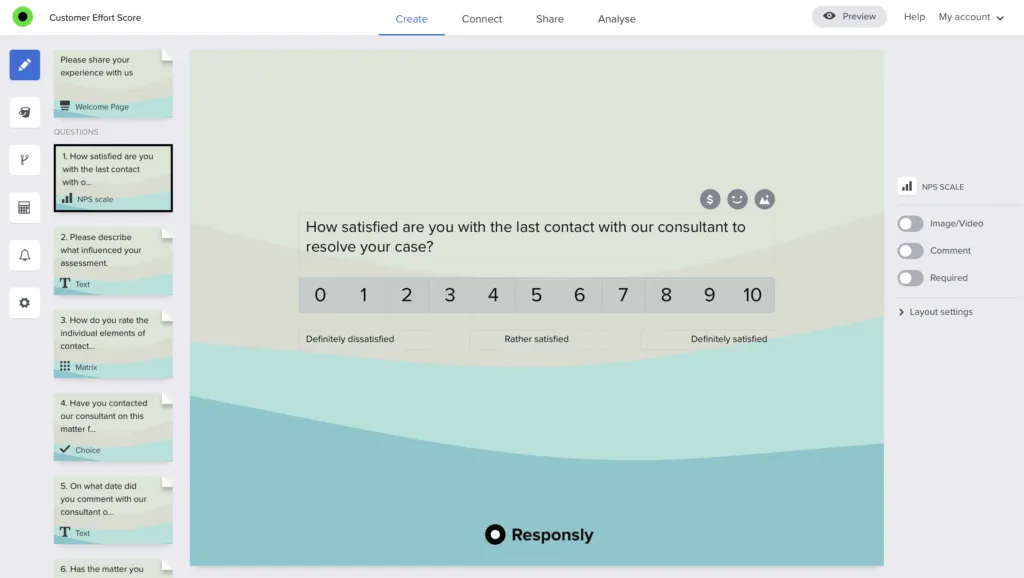
Responsly is a practical choice if you want free survey tooling that can grow into a repeatable feedback system—especially for NPS/CSAT/CES and recurring programs. It’s designed for creating surveys that feel conversational and are easy to complete across devices.
- Best for: Customer feedback loops and ongoing measurement.
- Key features:
- Templates and fast setup (including customer satisfaction survey templates)
- Logic and personalization
- Multiple ways to share surveys (link, embed, QR, and more)
- Analytics and reporting for trends over time
- Where it fits: If your next step after “collecting responses” is “acting on insights,” a tool built for analytics matters. For deeper context, see what customer satisfaction is and how to implement NPS surveys.
Explore: Responsly surveys, forms, and quizzes.
Typeform
Typeform is known for polished, conversational experiences that can improve completion rates for customer-facing surveys. It’s a good fit when presentation matters (brand, UX, and flow) and you’re comfortable with a tighter free tier.
- Best for: Branded customer-facing surveys.
- Key features: Strong UI, logic, and integrations.
- Watch-outs: Free plan limits can be restrictive for ongoing programs.
Learn more on Typeform’s website.
Google Forms
Google Forms is one of the easiest ways to run simple surveys—especially for internal feedback—because it’s fast, free, and works naturally with Google Sheets.
- Best for: Basic internal surveys and quick research.
- Key features: Simple builder, common question types, exports to Sheets.
- Watch-outs: Limited advanced logic and survey analytics compared to dedicated tools.
Learn more on Google Forms’ website. If you want a deeper comparison, see our guide to Google Forms alternatives.
HubSpot
HubSpot surveys make the most sense when responses need to live next to contacts, deals, and lifecycle stages. If your team already runs marketing and CRM workflows in HubSpot, keeping survey data in the same system can reduce manual work.
- Best for: CRM-connected surveys and lifecycle workflows.
- Key features: CRM context, automation options, centralized reporting.
- Watch-outs: Survey capabilities depend on your HubSpot tier.
Learn more on HubSpot’s website.
SurveyMonkey
SurveyMonkey is a widely known survey tool with a large template library and a familiar workflow. It’s a reasonable starting point for basic surveys, but many teams outgrow the free plan quickly.
- Best for: Traditional survey creation with templates.
- Key features: Templates, common question types, reporting options.
- Watch-outs: The free plan is restrictive for exporting and advanced analysis.
Learn more on SurveyMonkey’s website. If you’re shopping around, compare with our list of SurveyMonkey alternatives.
What online surveys are used for
Online surveys are useful whenever you need feedback that’s structured enough to analyze:
- Customer feedback: satisfaction, effort, loyalty, and qualitative insights (see customer experience strategy)
- Employee feedback: pulse surveys and engagement measurement
- Product research: feature prioritization and usability input
- Lead qualification: collecting requirements before a sales or onboarding call
How to choose the right survey tool
Pick your tool based on what happens after someone submits a response:
- If you need basic collection: start with Google Forms.
- If you need higher completion rates: consider Typeform.
- If you need CRM workflow context: HubSpot may fit.
- If you need repeatable measurement and analytics: prioritize survey analytics, automation, and segmentation.
Two practical quality checks:
- Survey design quality: use clear, unbiased questions (see how to ask good survey questions).
- Question type fit: choose the right formats for your goal (see multiple-choice questions).
Next steps
Start with one simple survey, validate the workflow (distribution → responses → reporting), then scale into a repeatable program. If you want a tool that supports surveys, forms, and quizzes with analytics in one place, start with Responsly surveys and build from there.