Table of contents
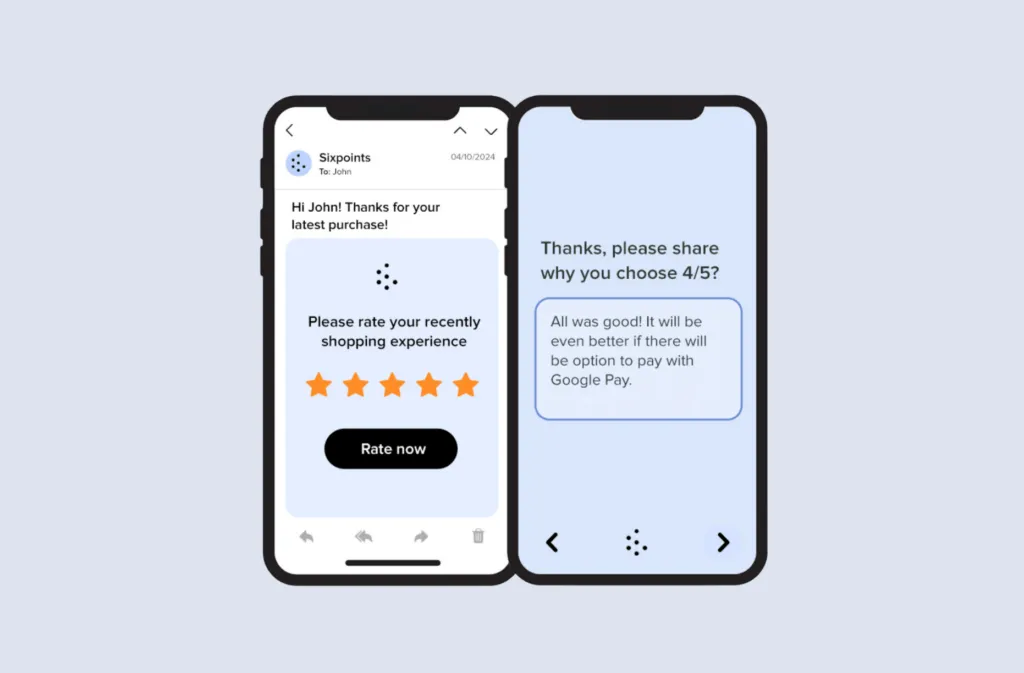
Email survey tools are software platforms that create, send, and analyze surveys delivered straight to a recipient’s inbox—and the best ones lift response rates by embedding the first question inside the email instead of just linking out to it. This guide is for CX, product, and marketing teams who are tired of sending email surveys that nobody finishes. Instead of a flat “best of” list, we rank eight tools by the job you’re actually hiring them for—maximizing responses, staying free, fitting an existing marketing suite, or handling enterprise research—and show you a decision table, the trade-offs, and how to embed a clickable rating in your next email.
What makes an email survey tool actually work
Most tools labeled “email survey software” do the same basic thing: they email a link to a survey hosted somewhere else. That extra click is exactly where response rates collapse. The tools worth paying for solve three problems at once:
- They remove the click. The first question (a CSAT, smiley, or NPS scale) is rendered inside the email, so a single tap is the first recorded answer and the rest of the survey opens pre-filled.
- They automate the send. Scheduling, audience segmentation, and follow-up reminders run without manual work, so feedback collection becomes a repeatable program—not a one-off.
- They close the loop. Real-time analytics and reporting turn raw responses into themes and alerts you can act on.
Judge any email survey tool against those three jobs and the shortlist gets a lot clearer.
How to choose an email survey tool: by use case
Rather than rank tools 1-to-8, match the tool to the job you need done. Here’s the quick map before we go deeper.
| Job to be done | Best pick | Other strong options |
|---|---|---|
| Embed the question in the email + omnichannel follow-up | Responsly (with SendJet) | — |
| Free, occasional or internal surveys | Google Forms | Microsoft Forms |
| Conversational, design-led surveys | Typeform | — |
| Surveys inside an existing marketing suite | Mailchimp / Zoho Survey | — |
| Enterprise research & complex logic | Qualtrics | Alchemer |
| Mid-market all-rounder | SurveyMonkey | Zoho Survey |
Key features to look for in an email survey tool
Before the rankings, a quick checklist. The strongest survey tools share these traits:
- Embedded first question: a clickable rating in the email body, not just a link.
- Customizable templates: survey designs that match your brand.
- Automated distribution: scheduling, segmentation, and follow-up reminders.
- Real-time analytics: response tracking and reporting as data arrives.
- Integration capabilities: connectors for your CRM and email platform—including Mailchimp, Klaviyo, MailerLite, GetResponse, Brevo, ActiveCampaign, Constant Contact, Campaign Monitor, and Zoho Campaigns.
- Mobile responsiveness: emails and surveys that render on any device.
- Security and compliance: GDPR/CCPA support, encryption, and access controls.
Top 8 email survey tools for 2026
Email surveys remain one of the most direct ways to collect feedback at scale. Below, each tool is framed by what it’s best at—and who it’s not for.
1. Responsly — best for maximizing response rates
Responsly is our top pick because it’s built around the one job most tools ignore: getting people to actually respond. Instead of emailing a bare link, Responsly embeds the first question—a 1–5 scale, smiley, or 0–10 NPS—directly in the email, so the first click is the first answer and the survey continues pre-filled. It pairs that with highly customizable survey templates, automated reminders, real-time analytics, and seamless CRM and marketing integrations. Its AI agent, Athena, then analyzes open-ended answers, surfaces themes, and flags churn risk—so you’re not reading hundreds of comments by hand.
Best for: CX, product, and marketing teams that want the highest possible response rate across email, SMS, and WhatsApp from one platform. Not for: teams that only ever need a single throwaway internal poll (Google Forms is enough).
Top features:
- Embedded email questions: start with our free Customer Feedback Email Generator, which embeds the first question as a 1–5 smiley or 0–10 NPS rating and gives you copy-paste HTML.
- Omnichannel distribution with SendJet: SendJet is Responsly’s contact and delivery engine—audience lists, channel routing, throttling, and reminders for email, SMS, and WhatsApp in one place.
- Automation: schedule sends, trigger surveys from events, and chase non-responders automatically.
- Real-time analytics: monitor response rates and themes as data comes in.
- Integrations: connect with your CRM and marketing stack.
- User identification & open tracking: see who completed a survey and when emails were opened.
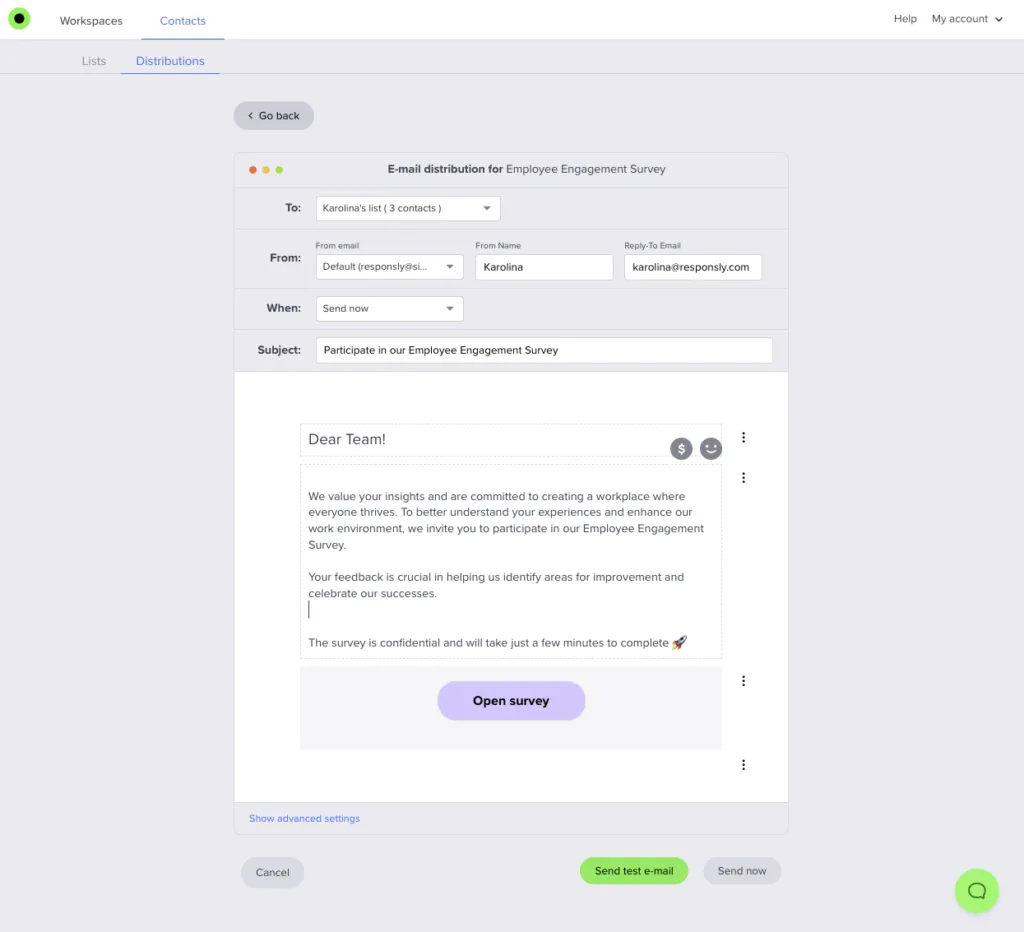
How Responsly lifts response rates: SendJet + the free email generator
This is where Responsly separates from the pack. Two pieces work together:
- The Customer Feedback Email Generator builds the in-email rating for you—pick a CSAT, smiley, or NPS scale, and copy the bulletproof HTML that stays clickable even in Outlook. The selected value passes through to the survey so respondents never re-enter their score.
- SendJet, Responsly’s distribution engine, handles delivery: audience segmentation, channel routing across email, SMS and WhatsApp, throttling, and automated reminders. If email under-performs for a segment, route the same survey to SMS or WhatsApp without rebuilding it.
Together they attack the response-rate problem from both ends—frictionless first click, plus smart, multichannel follow-up.
2. SurveyMonkey — best mid-market all-rounder
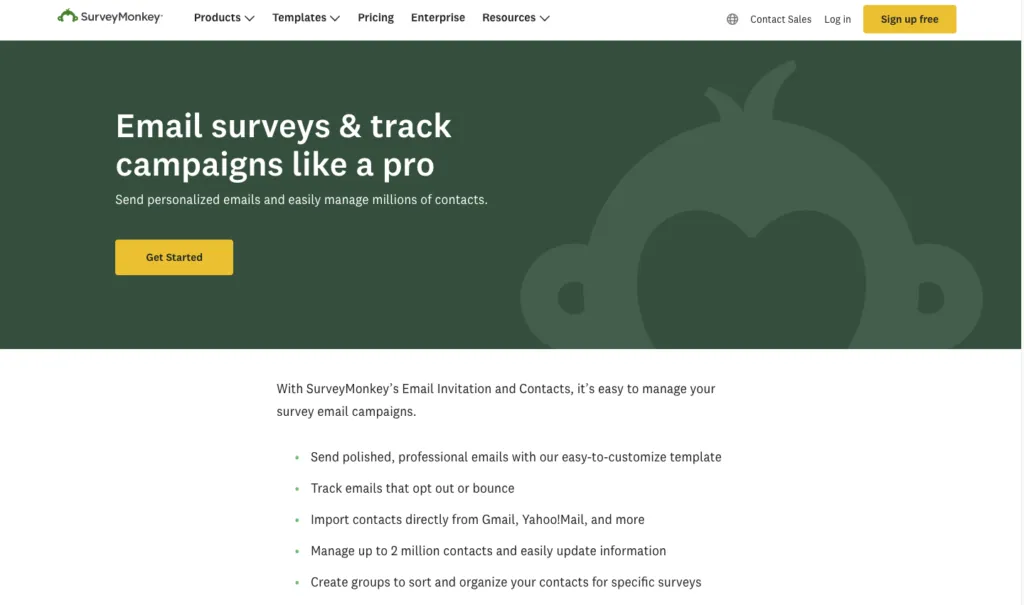
SurveyMonkey is one of the most popular survey tools available. It offers a wide range of templates and customization options, plus advanced analytics and integrations with platforms like Salesforce and Mailchimp. It’s a dependable all-rounder—but it emails links rather than embedding questions, and premium features get pricey for smaller teams.
Best for: general-purpose surveys where brand familiarity matters. Not for: teams chasing the highest in-email response rates.
Top features:
- Wide range of templates: create professional surveys quickly.
- Advanced analytics: gain deep insights into survey data.
- Integrations: connect with platforms like Salesforce and Mailchimp.
- Customizable survey design: tailor surveys to specific needs.
- Multiple question types: use various formats to engage respondents.
3. Google Forms — best free option
Google Forms is a free, user-friendly survey tool that integrates seamlessly with Google Workspace. It’s ideal for small businesses, internal surveys, or anyone just starting with email surveys. It lacks embedded-question email sends, branding depth, and automation—but for zero cost, it’s hard to beat. For paid-grade features without the price, see our Google Forms alternatives.
Best for: free, occasional, or internal surveys. Not for: branded, automated feedback programs.
Top features:
- Seamless integration: works well with Google Workspace apps.
- Basic survey creation: ideal for simple surveys.
- Real-time collaboration: multiple users can edit surveys simultaneously.
- Unlimited surveys and responses: no restrictions on volume.
- Customizable themes: basic customization options.
4. Typeform — best for conversational design
Typeform stands out for its conversational, one-question-at-a-time design, which boosts engagement on the survey page itself. It offers polished templates, an intuitive builder, robust analytics, and many integrations. The catch: the free tier is limited and premium plans get expensive, and like most tools it emails a link rather than embedding the first question.
Best for: design-led, brand-forward surveys. Not for: high-volume programs on a tight budget.
Top features:
- Engaging design: conversational format to enhance engagement.
- Variety of templates: multiple customization options.
- Intuitive interface: easy survey creation.
- Robust analytics: detailed insights and reporting.
- Integrations: connect with tools like Slack, Zapier, and HubSpot.
5. Zoho Survey — best inside the Zoho suite
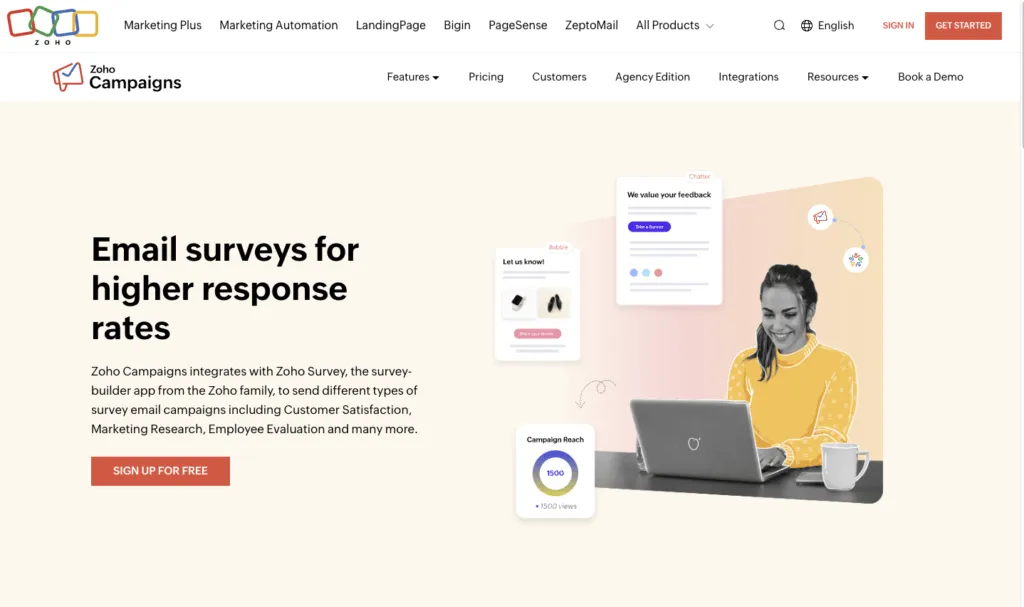
Zoho Survey is part of the Zoho suite, offering tight integration with other Zoho products. It provides a wide range of question types, templates, advanced reporting, and real-time analytics. It’s an excellent choice for businesses already living in Zoho’s ecosystem—less compelling for those who aren’t.
Best for: existing Zoho customers. Not for: teams outside that ecosystem.
Top features:
- Wide range of question types: diverse options for different needs.
- Customizable templates: tailor surveys to your brand.
- Advanced reporting: real-time analytics and reporting.
- Seamless integration: connect with other Zoho products.
- Multilingual surveys: create surveys in multiple languages.
6. Alchemer — best for advanced survey logic
Alchemer is a powerful survey tool with extensive customization and support for complex survey logic. It offers detailed analytics and integrates with many CRM and marketing platforms, making it suitable for sophisticated research needs. The trade-off is a steeper learning curve and higher cost that can deter smaller teams.
Best for: research teams needing complex logic. Not for: teams that want fast, simple setup.
Top features:
- Extensive customization: tailor surveys with advanced options.
- Complex survey logic: support for sophisticated designs.
- Detailed analytics: in-depth data analysis.
- Integrations: connect with CRM and marketing platforms.
- User-friendly interface: navigable despite its depth.
7. Qualtrics — best for enterprise research
Qualtrics is a robust experience-management platform known for advanced features and powerful analytics. It supports complex survey designs and extensive customization, which is why large organizations and research institutions favor it. Those capabilities come with a high price tag that puts it out of reach for most small businesses. For lighter, faster options, see our Qualtrics alternatives.
Best for: large, research-heavy enterprises. Not for: SMBs and mid-market teams.
Top features:
- Comprehensive survey design: support for complex surveys.
- Extensive customization: tailor surveys to specific needs.
- Advanced analytics: powerful data analysis tools.
- Integrations: connect with various business platforms.
- High-level security: robust data protection features.
8. Mailchimp — best for existing email marketers
Mailchimp, primarily an email marketing platform, also offers basic survey capabilities. It lets you create and send surveys to your email lists, with data collection tied into its broader marketing tools. It’s not as feature-rich as dedicated survey software, but it’s convenient for existing Mailchimp users. For a deeper look at combining a dedicated survey platform with Mailchimp, read our complete Mailchimp surveys guide.
Best for: teams already running campaigns in Mailchimp. Not for: advanced survey logic or omnichannel feedback.
- Email integration: send surveys to your email lists easily.
- Marketing platform integration: seamless data collection and analysis.
- Basic survey creation: simple and straightforward design.
- Customizable templates: tailor surveys to your branding.
- Automated follow-ups: send reminders to boost response rates.
Conclusion: pick the tool for the job
An email survey tool is essential for collecting feedback at scale—but “best” depends on the job you’re hiring it for. If you only need a free, occasional poll, Google Forms is fine. If you live in Zoho or Mailchimp, use their built-in surveys. If you run enterprise research, Qualtrics or Alchemer earn their cost.
But if your real goal is more responses, Responsly is the strongest pick: it embeds the first question in the email with the free Customer Feedback Email Generator, then distributes and follows up across email, SMS, and WhatsApp with SendJet. That combination—frictionless first click plus multichannel reminders—is what actually moves your response rate. Start collecting feedback for free and see the difference on your next send.
FAQ
What is an email survey tool?
How do I increase email survey response rates?
Can I embed a survey question directly in an email?
What is the best free email survey tool?
Are email surveys GDPR compliant?
Tagged in
Last updated