In Responsly, you can set answer limits for specific options in your survey questions. This lets you precisely control how many responses each option can receive – ideal for research or sign‑ups where availability is limited (e.g. event seats, workshop slots).
Learn more about quota sampling here:https://www.responsly.com/blog/quota-sampling/
How answer limits work
Answer limits let you define the maximum number of responses allowed for each answer option.
When the limit for an option is reached:
- respondents can no longer select that option, and
- you can either:
- redirect them to a custom thank‑you page, or
- show a message that the option is no longer available.
Example use case
Imagine you’re organizing workshops and want to limit the number of participants per session:
- Workshop A → limit 20 people
- Workshop B → limit 15 people
- Workshop C → limit 25 people
Once a limit is reached for any session, new respondents won’t be able to select that option.
How to set answer limits in a question
Follow these steps to configure answer limits.
Step 1 — Open the survey editor
Go to your survey and select the question where you want to set limits.
Step 2 — Add the question and answer options
Example question:
“Which workshop date would you like to attend?”
Example answer options:
- January 10
- January 15
- January 20
Step 3 — Open question settings
In the right‑hand panel, go to the Enable quota limits section.
Step 4 — Set the answer limits
For each answer option, define the maximum number of available spots, for example:
- January 10 → 20 spots
- January 15 → 15 spots
- January 20 → 25 spots
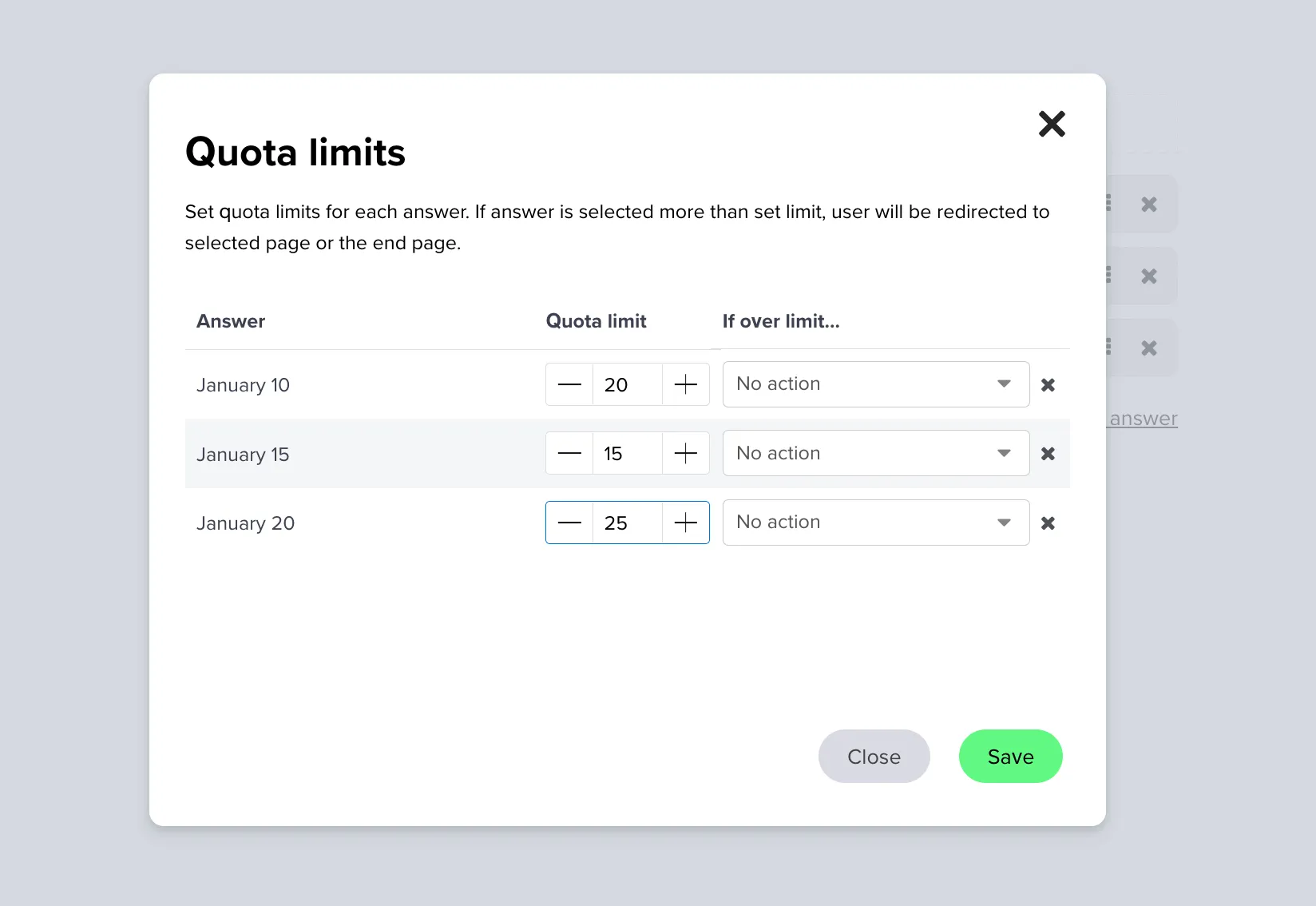
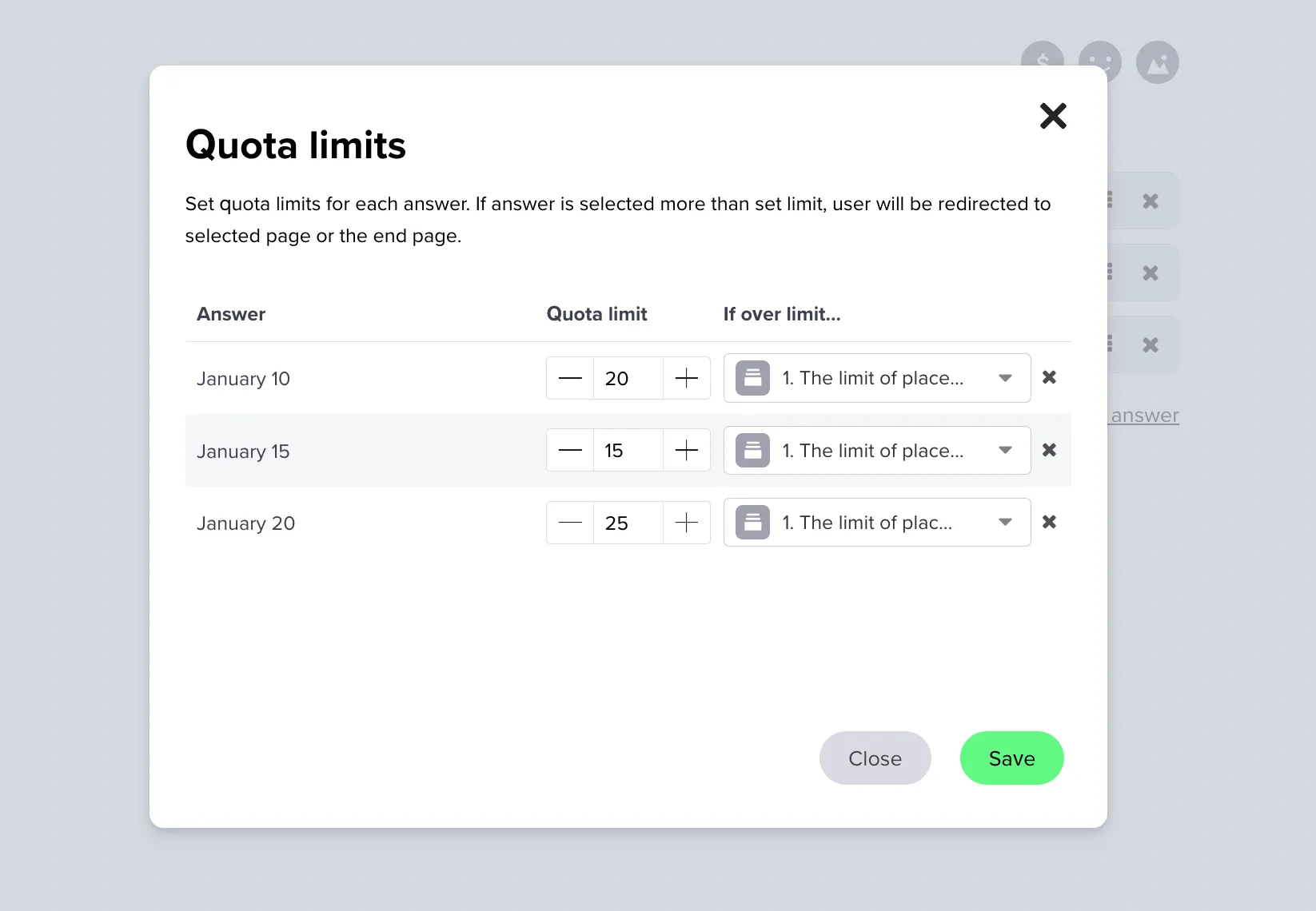
Step 5 — Configure what happens when a limit is reached
Choose what should happen when an option is full:
- Redirect respondents to a dedicated thank‑you page, or
- Display a message informing them that the option is unavailable.
Step 6 — Save your changes
Click Save to apply the configured limits.
Managing responses
- Track responses in real time – go to the Analysis panel to see how many respondents chose each option.
- Edit limits anytime – you can change limits even after you start collecting responses.
Benefits of using answer limits
| Benefit | Description |
|---|---|
| Precise management | Control the exact number of responses per option. |
| Better user experience | Avoid frustration by preventing selection of unavailable options. |
| Flexibility | Adjust limits dynamically at any point during your survey. |