


We automated the process of monitoring every aspect of the product experience.
Tom Groenewald
Product Experience Manager

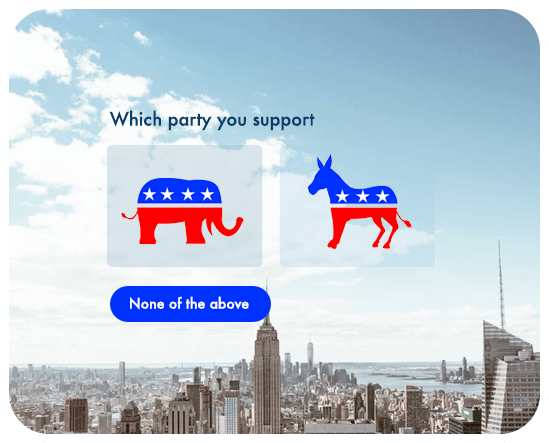






Board decisions, works council elections and internal votes — counted without recording who voted for what, with one vote per person.
Annual meetings, resolutions and committee elections, where an eligible voter list and an exportable record of the result matter.
A question on the slide, a QR code on screen and a tally that grows in front of the room — at a conference, a class or a webinar.
Picking a date, a name or a design option — a poll shared as a link settles it faster than another thread in chat.
Per person — duplicate voting blocked and personal links for eligible voters
1 vote
Secret ballots that never record who cast which vote
Anonymous
Results count themselves, and you can hide them until voting closes
Live
Voter data stored on servers in the European Union
EU
Six steps from the question to the final record — no paper slips and no counting by hand.
Add the motion or the list of candidates. You can include descriptions, images and an abstain option.
Decide whether the ballot is open or secret, how many options a voter can pick and whether results show up straight away.
Upload a list of email addresses and send personal links, or share one address with duplicate voting blocked.
A link, a QR code, email, SMS or a tablet in kiosk mode — the same ballot works on every device.
See how many people have voted so far and send a reminder to everyone who has not.
Voting closes at the time you set and the full result downloads as a file you can attach to the minutes.
For a longer walkthrough, read creating and distributing an online poll or see how our anonymous voting system works.
In secret mode the system counts votes without storing the link between a person and their choice — the record shows the result and the turnout, not a list of who picked what. Eligible voters get personal links, so each of them votes once and nobody outside the list can open the ballot. That makes it suitable for company elections, boards and member organisations. See how the anonymous voting system works and how we handle data on our security page.

Building a ballot takes minutes and the results count themselves as votes arrive — nobody retypes them into a spreadsheet or checks whether someone voted twice. The ballot adapts to phones, tablets and desktops, so people can vote from the room, from home or from another country. When you need more than a single choice, extend the same ballot with open questions in the survey maker and reach voters through every channel in survey distribution.
Start from a ready-made ballot and change the options, the rules and the way you share it.
Invite voters from your contact list, announce the outcome in Slack and archive the record in your own system — through 100+ integrations, webhooks and the API.







Duplicate votes are blocked, so the result holds up
Count the votes without recording who cast them
Watch the tally build up as the votes come in
Keep the outcome hidden until voting ends
Voting shuts itself down at the moment you set
Print it on a slide or a poster and let people vote from their phones
Confirm the voter before the vote is counted
Send a personal link only to the people entitled to vote
One address works everywhere, from chat to a newsletter
Set up a tablet at the venue and collect votes on the spot
Download the full result as a file for the minutes
Data stored in the EU, with a processing agreement in place



We're compliant with General Data Protection Regulation (GDPR) that businesses in Europe must comply with when processing personal data.
USA state of California introduces California Consumer Privacy Act (CCPA) that defines how to handle users' personal data.
All connections are protected by TLS 1.2 and AES with a 256-bit key. Enable 2-Factor Authentication for even better security.
Sign up users with Single Sign-On (SSO) and manage their access to your team. Set permissions and resource access.

We automated the process of monitoring every aspect of the product experience.
Tom Groenewald
Product Experience Manager
Responsly platform help us immediately check the expectations of our employees.
Anna Szpot
Learning & Development Specialist

We decrease the drop rate from our surveys by 40% after moving to Responsly
Alice Matyla
CX Manager

Responsly platform help us get to know our customers better and increase the quality of our services.
Aneta Pezda
Internal Communication Specialist

Monitoring customer experience is easy with Responsly. The survey builder is incredibly user-friendly.
Robert Blok
Customer Experience Manager





You can modify this template in every possible way.
All templates work great on every device.
Use template Open form in a new window