Website Surveys

Website feedback tool for on-site surveys

Ask for feedback in the moment with targeted popups, slide-ins, and embedded widgets that match your brand — no code required.

Website feedback widgets — popup, slide-in, and embedded survey examples
  1. Red Bull
  2. Schindler
  3. Bayer
  4. Booksy
  5. KraftHeinz
  6. Danone
The difference

Capture feedback while visitors are still on the page.

Brand-matched widgets

Popups, slide-ins, side tabs, and embedded surveys styled to your site — live in minutes, no rebuild required.

Ask in the right moment

Trigger by URL, traffic share, scroll depth, time on page, or exit intent, so the question always fits the page.

Insights, not just responses

Track NPS, CSAT, and CES with open-text themes, and route responses to analytics and your CRM automatically.

Feedback from website

Popups, slide-ins, and side tabs — live in minutes

Pick a widget format, preview how it looks on your page, and publish without touching code. Side feedback, NPS, popups, and embedded surveys — all brand-ready.

Widget formats

The right format for every page and moment.

Website popup

A timed or behavior-triggered pop-up survey — ideal for exit surveys and quick pulse checks without derailing the visit.

Slide-in & corner widget

A low-friction on-site feedback widget that stays visible in the corner without blocking the whole page.

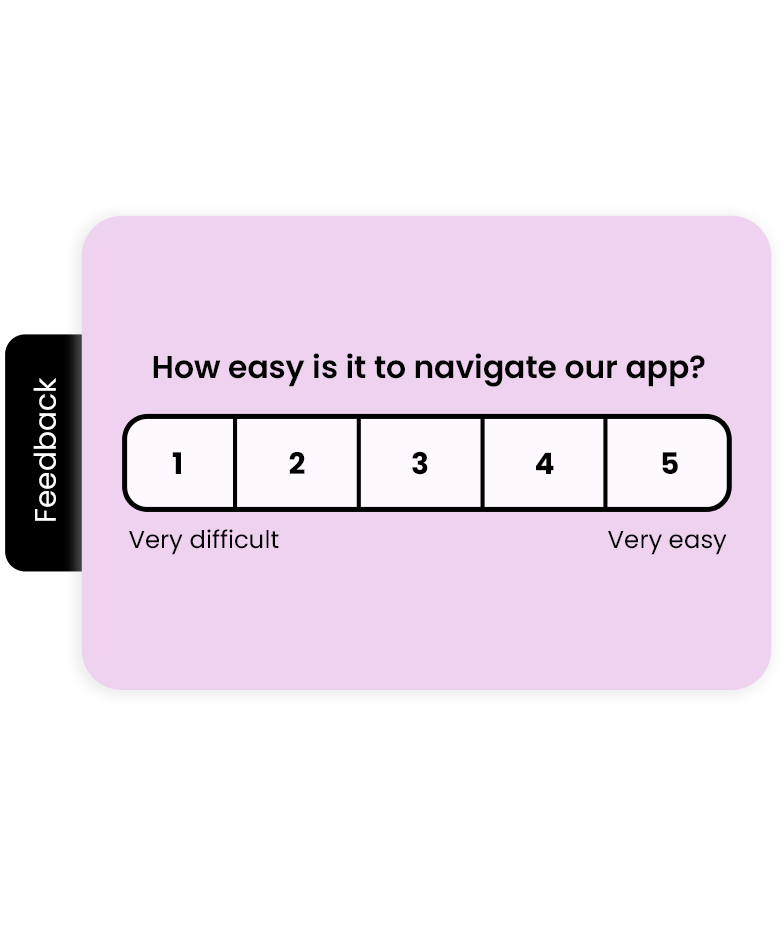
Side feedback tab

An always-on tab pinned to the edge of the page that opens a survey the moment a visitor wants to speak up.

Embedded on-page survey

Drop a survey straight into your layout for longer flows, help centers, or post-purchase confirmation pages.

Exit-intent survey

Catch leaving visitors before they bounce and learn what stopped them from converting or reading on.

Feedback form

Static forms on contact or support pages for detailed written feedback whenever visitors need to reach you.

How it works

Place, target, and analyze on-site feedback

Place

Launch widgets where visitors already are

Add a popup, slide-in, side tab, or embedded survey to any page — no rebuild required. Match your brand colors, fonts, and logo, and preview each format before you go live.

  • Popup, slide-in, side feedback, and embedded formats

  • Brand colors, fonts, and logo on every widget

  • One embed snippet or Google Tag Manager setup

Explore the survey maker
Website feedback widgets — popup, slide-in, and embedded survey examples
Target

Ask the right visitors at the right moment

Not every visitor should see the same survey. Show checkout surveys to buyers, content surveys to readers, and exit surveys to leaving visitors — controlled by URL rules, traffic share, and behavioral triggers.

  • Show surveys on specific pages or URL patterns

  • Survey a chosen percentage of website traffic

  • Trigger on scroll, time on page, or exit intent

See targeting & distribution
Targeted website survey rules by URL, traffic share, and behavior
Analyze

Turn on-site feedback into decisions

Every response flows into Responsly automatically. Track NPS, CSAT, and CES alongside open-text themes, connect analytics tools to understand the "why", and route responses to your CRM to close the loop.

  • NPS, CSAT, and CES trends charted automatically

  • AI theme and sentiment analysis on open text

  • Connect Google Analytics, FullStory, and your CRM

Explore feedback analytics
Website feedback analytics dashboard with NPS and CSAT trends

Website feedback, answered

What is a website feedback tool?

A website feedback tool lets you collect visitor opinions directly on your site using embedded surveys, pop-ups, slide-ins, or on-page widgets. Instead of sending people elsewhere, you capture in-the-moment feedback about design, content, checkout, or support—then analyze responses alongside your NPS, CSAT, and other metrics in one place.

What is a website feedback survey?

A website feedback survey is used to collect feedback from website visitors about their experience and satisfaction with a website's design, functionality, content, and more. It helps you understand the needs and preferences of your visitors, identify areas for improvement, and make data-driven decisions to optimize the website for a better user experience. By analyzing survey responses, you can gather valuable insights into customer behavior, the customer journey, and user feedback, which can improve customer satisfaction, boost engagement, and increase conversions.

One of the key benefits of collecting website feedback with Responsly is that you can start gathering customer feedback about your webpage within minutes of starting your free account. Collect user feedback in pop-up surveys, feedback widgets, feedback forms, or on-page surveys. Customize survey questions to ask the right questions and collect feedback directly on the contact page and chosen web pages. Dive into the templates library and collect contextual visitor insights about your product or service.

How to collect user feedback on a website?

You can collect website feedback from users through various channels, including website feedback surveys, feedback widgets, pop-up surveys, on-page surveys, in-the-moment feedback, and more. Feedback can also be gathered from social media platforms, email, live chat, or by analyzing website analytics data. By offering multiple channels for feedback collection, you can ensure that feedback is collected from the target audience in the most convenient and effective way possible.

With Responsly, you can survey a chosen percentage of website traffic or ask specific visitors to share feedback. Ensure you can target website feedback widgets to collect valuable customer feedback and improve customer experience. See the step-by-step guide on embedding a survey on your website to add a widget or inline form in minutes.

How to make the most out of collected website feedback data?

To make the most out of collected website feedback, you need to analyze it thoroughly to identify patterns and trends, gain valuable insights, and make data-driven decisions. Connect the website feedback tool with analysis software, such as Google Analytics or Smartlook, to analyze insights and understand the 'why' behind user behavior. By using the website feedback data to make informed decisions, you can improve net promoter score, increase engagement, and boost conversions.

How to ensure high response rates for website feedback surveys?

To ensure high response rates for website feedback surveys, keep the survey short and concise, offer an incentive for participation, use an engaging and visually appealing survey design, personalize the survey invitation, and place the survey strategically on the website. By optimizing the survey design and placement, you can increase the chances of getting high response rates, resulting in more accurate data collected by website feedback widgets.

What are the best practices for collecting website feedback?

To effectively collect website feedback, consider several best practices:
  • Choose the right feedback tools for the job, including website surveys, customization features, and analytics tools.
  • Ensure that feedback forms and surveys are clear and easy to complete, and do not require too much time or effort from the user.
  • Collect feedback in real-time, so issues can be identified and resolved quickly.
  • Ensure your website feedback tool can trigger custom notifications and send responses to your CRM to close the feedback loop faster.
By following these best practices, you can collect high-quality feedback and optimize the user experience quickly.

How to effectively analyze website surveys data?

Once you collect insights in the website feedback tool, analyze the data to gain insights and identify areas for improvement. Use visualization tools like charts and graphs to identify patterns and trends. Responsly automatically presents CSAT, NPS, and overall trends as charts. Connect analytics tools like Google Analytics, Smartlook, or FullStory to understand user behavior and relate feedback data to user actions. By using these tools, you can understand community feedback and plan further actions based on qualitative data and user insights.

How to use targeted surveys to gather website feedback from specific user segments?

Targeted surveys can be a powerful tool for gathering feedback from specific groups. Identify the groups you want to target, such as users who have recently made a purchase or visited a particular section of your website. Create surveys tailored to the needs and preferences of these groups. Use your website feedback tool to deploy targeted forms through pop-up windows, email invitations, and in-page surveys. Focus on key questions that provide the most helpful feedback, such as questions about the user's experience, satisfaction with products and services, or likelihood to recommend your business. By using targeted surveys, you can gather valuable insights and make data-driven decisions to improve your website, products, and services.
effect
effect

Enterprise grade security

effect
  • GDPR compliant

    We're complaiant with General Data Protection Regulation (GDPR) that businesses in Europe must comply with when processing personal data.

  • CCPA compliant

    USA state of California intruduces California Consumer Privacy Act (CCPA) that defines how to handle users' personal data.

  • SSL & 2-Factor Authentication

    All connections are protected by TLS 1.2 and AES with a 256-bit key. Enable 2-Factor Authentication for even better security.

  • SSO

    Sign up users with Single Sign-On (SSO) and manage their access to your team. Set permissions and resource access.

Talk to us!